
Beta Version
You're viewing documentation for version v1.1.0. Beta versions are subject to changes and may not represent the final stable release. Do not use in production environments.
Backing Up an OVHcloud Managed PostgreSQL Database
Overview
This guide backs up an OVHcloud Managed PostgreSQL database using pg_dump streamed through Plakar to OVHcloud Object Storage. The result is an encrypted, deduplicated snapshot stored separately from your database infrastructure.
Architecture
stdin integration"] end subgraph DB["OVHcloud Managed PostgreSQL"] Postgres["PostgreSQL"] end subgraph Storage["OVHcloud S3 Object Storage"] S3["Kloset Store
(Encrypted & Deduplicated)"] end Postgres -->|SQL dump| PGDump PGDump -->|stdin| Plakar Plakar -->|Snapshots| S3 classDef client fill:#524cff,color:#ffffff classDef db fill:#ffe4e6 classDef storage fill:#dbeafe class PGDump,Plakar client class Postgres db class S3 storage
Prerequisites
- OVHcloud account with billing configured
- Plakar installed on backup client
- PostgreSQL client tools (
pg_dump) - OVHcloud Object Storage bucket configured
Create PostgreSQL Database
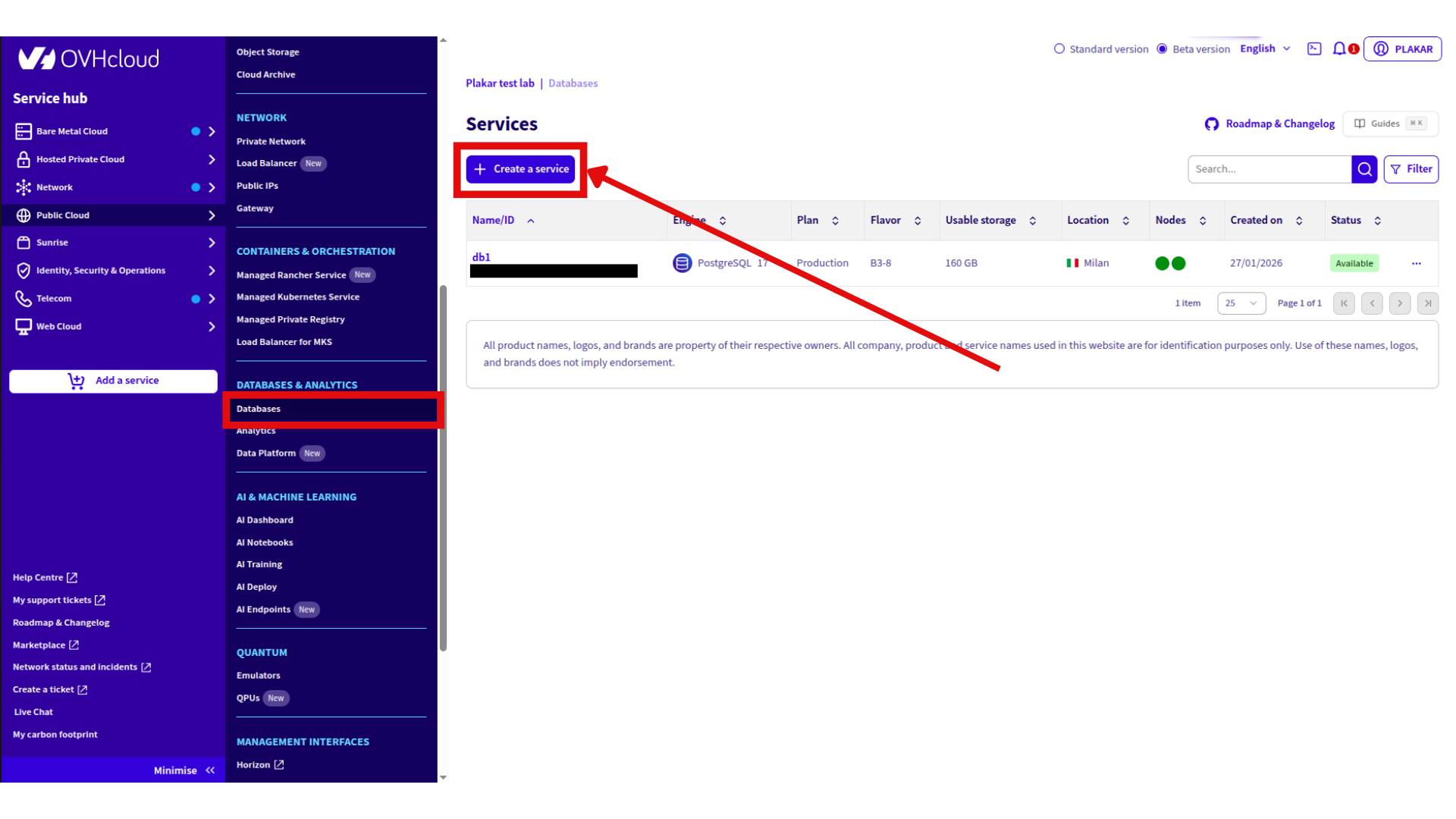
Provision database
- Log in to OVHcloud Control Panel
- Go to Public Cloud → Databases & Analytics → Databases
- Click Create a service
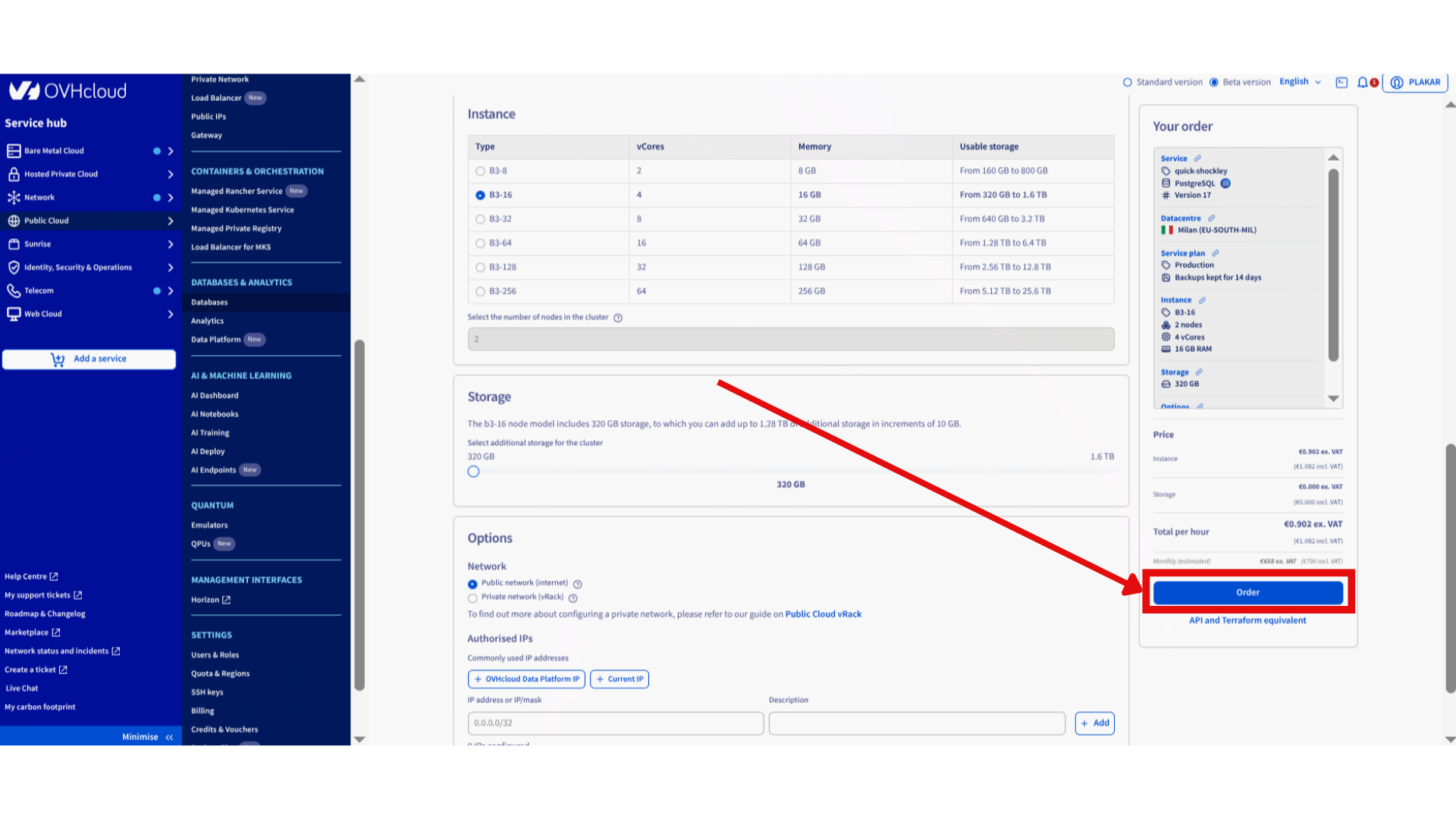
- Configure:
- Database name
- Engine: PostgreSQL
- Version: 14-18 (OVHcloud supported)
- Instance: Select vCores, memory, storage
- Network: Public network
- Click Order
Create backup user
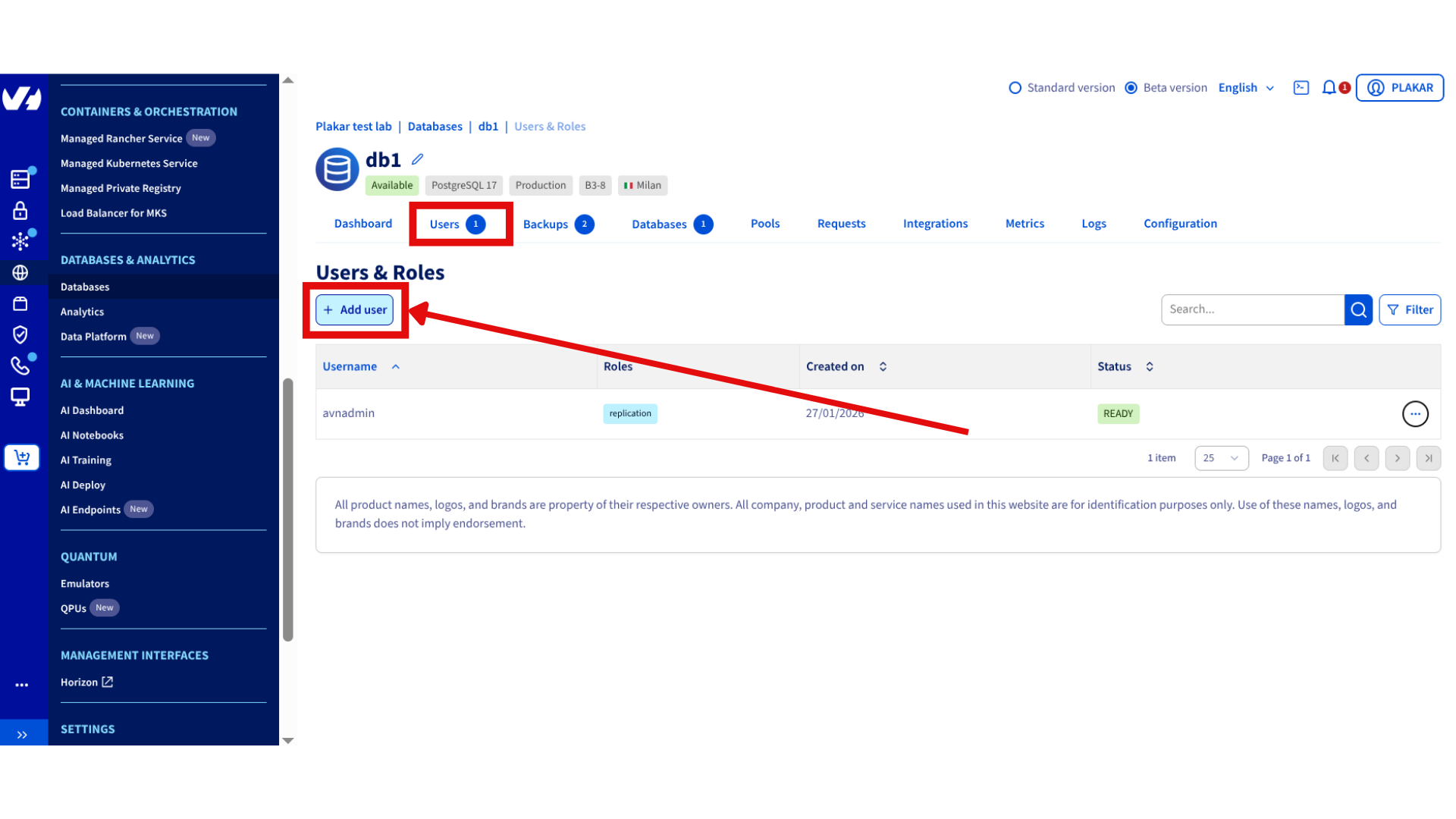
- Open PostgreSQL database in dashboard
- Go to Users tab
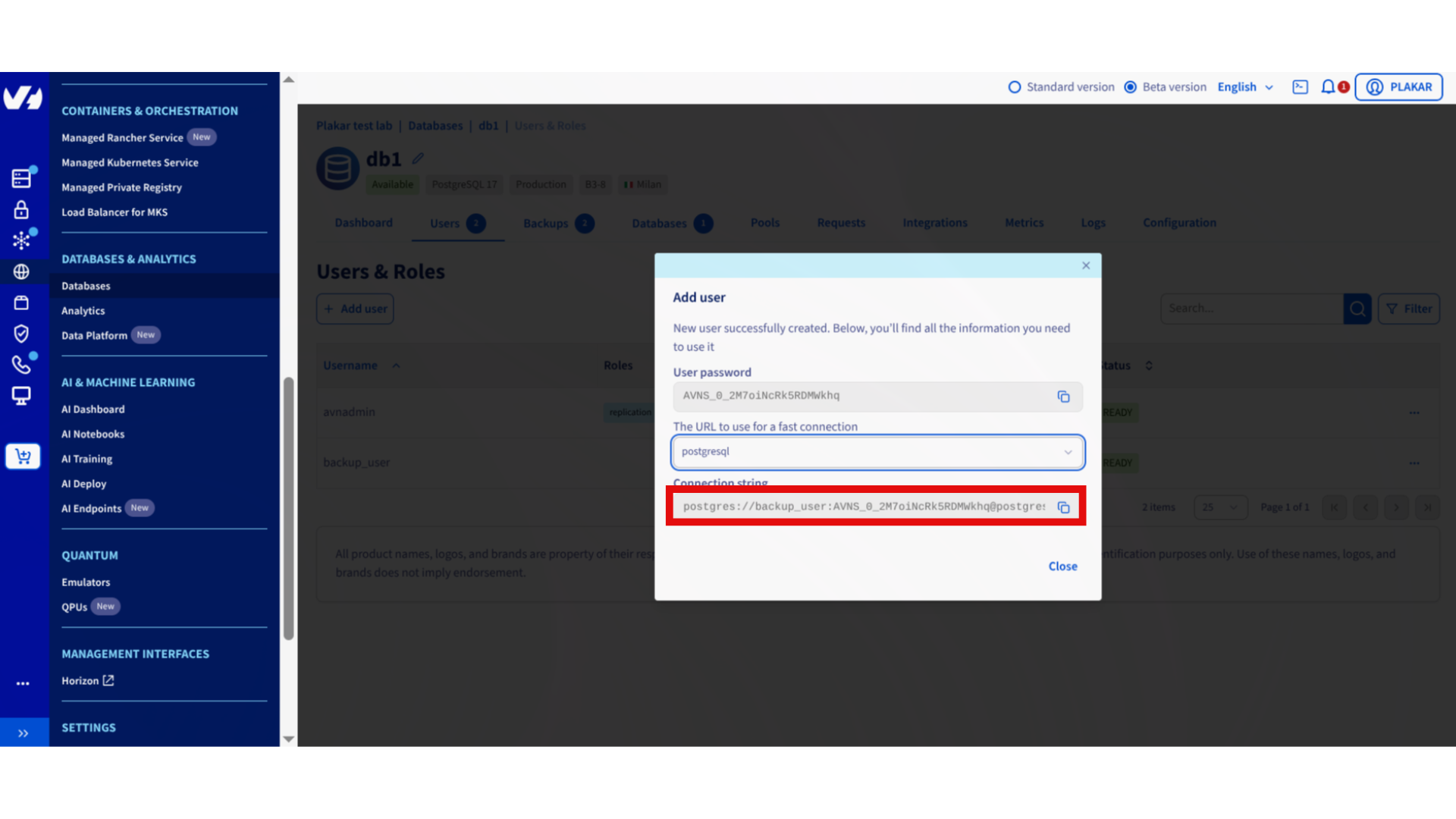
- Click Add user
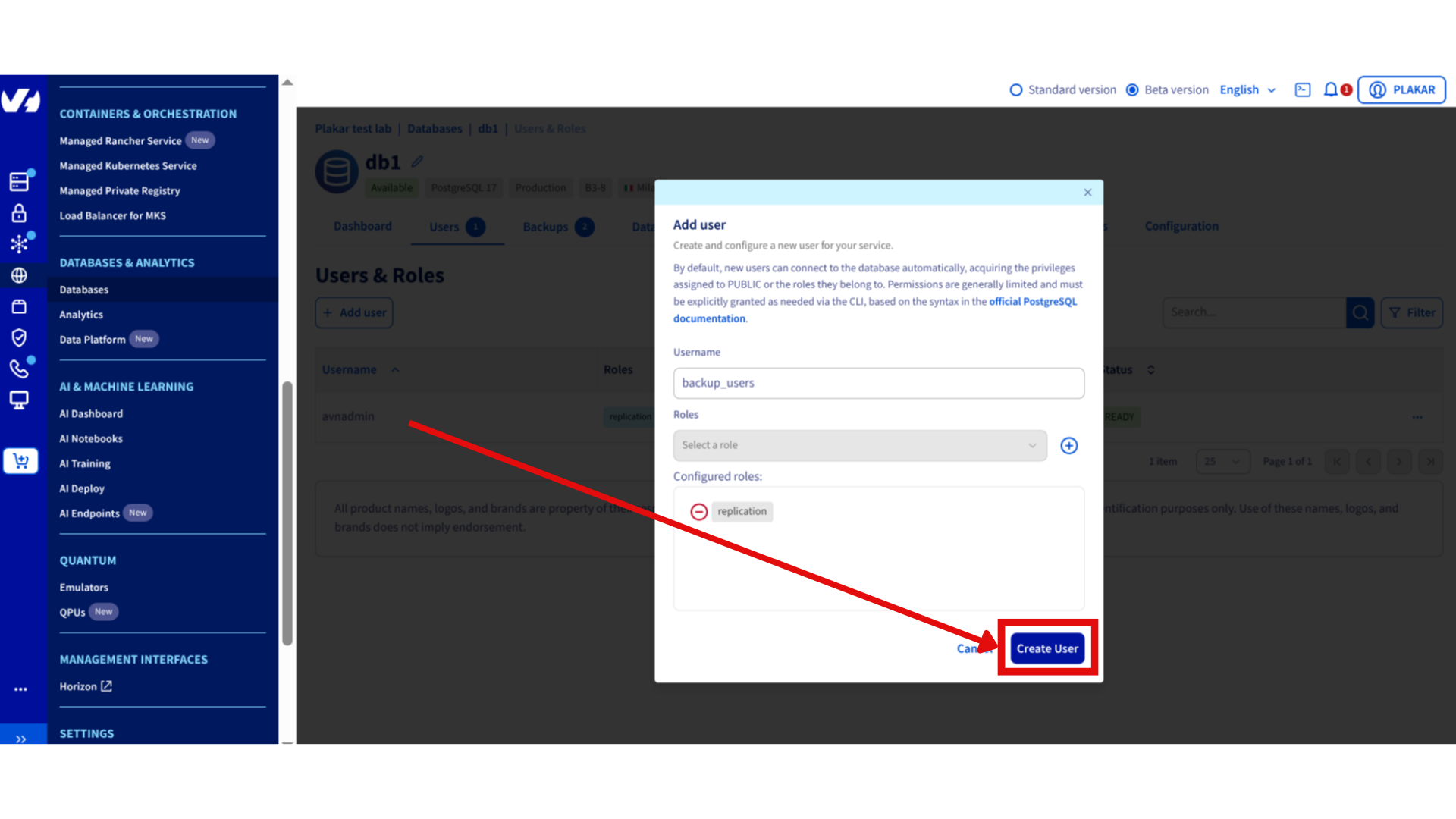
- Configure:
- Username:
backup_user - Role:
replication
- Username:
- Save connection string
Install Tools
Install PostgreSQL client:
sudo apt update
sudo apt install postgresql-client
Install Plakar using the installation guide.
Configure PostgreSQL Connection
Set environment variables from connection string:
export PGHOST=<DB_HOST>
export PGPORT=5432
export PGUSER=<DB_USER>
export PGPASSWORD=<DB_PASSWORD>
Test connection:
psql -X <DB_NAME>
Exit with \q.
Configure Object Storage
Install S3 integration
plakar login -email you@example.com
plakar pkg add s3
Create Object Storage bucket
If not already configured, follow: OVHcloud Object Storage setup
Add Kloset store
plakar store add ovhcloud-s3-postgres \
  location=s3://<S3_ENDPOINT>/<BUCKET_NAME> \
  access_key=<ACCESS_KEY> \
  secret_access_key=<SECRET_KEY> \
  use_tls=true
Replace:
<S3_ENDPOINT>: e.g.,s3.eu-west-par.io.cloud.ovh.net<BUCKET_NAME>: e.g.,plakar-backups<ACCESS_KEY>and<SECRET_KEY>: From OVHcloud Control Panel
Initialize store
plakar at "ovhcloud-s3-postgres" create
Back Up Database
Run backup:
pg_dump <DB_NAME> | plakar at "@ovhcloud-s3-postgres" backup stdin:dump.sql
Verify:
plakar at "@ovhcloud-s3-postgres" ls
Restore Database
Retrieve snapshot ID:
plakar at "@ovhcloud-s3-postgres" ls
Restore:
plakar at "@ovhcloud-s3-postgres" cat <SNAPSHOT_ID>:dump.sql | psql <DB_NAME>
Automate Backups
Create cron job for daily backups:
crontab -e
Add:
0 2 * * * pg_dump <DB_NAME> | plakar at "@ovhcloud-s3-postgres" backup stdin:dump-$(date +\%Y\%m\%d).sql
Troubleshooting
Connection refused
- Verify
PGHOST,PGPORT,PGUSER,PGPASSWORDenvironment variables - Check network access to managed database
Authentication failed
- Confirm backup user has
replicationrole - Verify password in connection string
S3 upload errors
- Check S3 credentials:
plakar store show ovhcloud-s3-postgres - Verify endpoint URL and bucket name
- Confirm bucket exists in OVHcloud dashboard
pg_dump not found
- Install PostgreSQL client:
sudo apt install postgresql-client
Found a bug or mistake in the documentation? Create an issue on GitHub